


MetaTrader 5 (MT5 Trading)

Gain an edge with lightning-fast execution, powerful charting, and access to professional signals with MetaTrader 5.

MetaTrader 5 (MT5 Trading)

Gain an edge with lightning-fast execution, powerful charting, and access to professional signals with MetaTrader 5.

MetaTrader 5 trading platform
Download MetaTrader 5 for WindowsDownload MetaTrader 5 for macOSDownload MetaTrader 5 for Linux

What is MetaTrader 5 (MT5)?

MetaTrader 5, commonly referred to as MT5, is the pinnacle of trading technology from MetaQuotes, following the widespread success of its predecessor, MetaTrader 4 (MT4), which was designed for forex and futures trading.

Designed as a multi-asset platform, the strength of MT5 lies in its advanced features. By trading on MetaTrader 5 with Cantage, you can use Expert Advisors (EA), trading signals, and the capability to hedge positions.

Start using advanced tools and trading orders, as well as the ability to hedge positions on MetaTrader 5, when you open a live account with Cantage today.

Features of MetaTrader 5

Next Gen Trading Platform: MetaTrader 5 (MT5)

MetaTrader 5 (MT5), while mirroring MT4’s familiar interface, is a state-of-the-art multi-asset trading platform. It empowers traders with a complete range of trading orders, enabling flexible trading across diverse asset classes.

Through Cantage’s integration with MetaTrader 5, traders instantly access the liquidity provider’s market depth, offering insights into where large orders are sitting on the price ladder. Combined with MT5’s dual position accounting system, this ensures traders have the necessary risk management control needed for their trading.
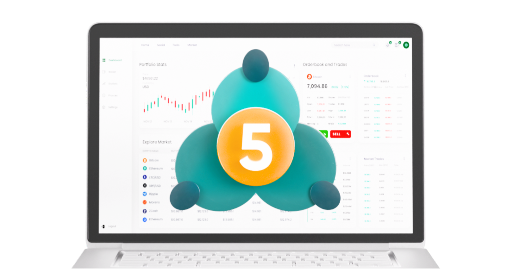

MetaTrader 5 next-generation trading platform

Trading Robots and FX Signals Trading on MT5

With MetaTrader 5 forex trading signals, you can effortlessly mirror the trades of expert traders. Simply choose a trader from the MetaTrader Market, where all professionals are pre-screened and their signals tested for validity.

You can also purchase trading robots and technical indicators on MetaTrader Market. Find a trading robot that suits your trading strategy in a pool of more than 2,000 trading robots and indicators.

A Superior Trading Platform in MetaTrader 5 (MT5)

Trading on MetaTrader 5 (MT5) via your Cantage account gives traders an edge in the markets. Experience faster execution speeds, tighter spreads, and superior charting capabilities compared to MT4. MT5 offers greater flexibility by letting traders view many charts across 21 different timeframes, an improvement over MT4’s limited options.

Additionally, MetaTrader 5’s integrated alert system ensures you’re always informed of crucial market events, eliminating the need for an external economic calendar.

Trade Anywhere, Anytime on the New MetaTrader 5 Platform

Switching to MT5 with Cantage is quick and hassle-free. New clients can get started in minutes, while existing MT4 users can easily upgrade via the client portal.

Elevate your trading experience with the MT5 mobile app for 24/7 access, or use the MT5 WebTrader to trade from any browser without any downloads required. All you need is a stable internet connection to trade anytime, anywhere.

MetaTrader 5 mobile trading

MetaTrader 5 (MT5) Download

Discover a superior trading platform in MetaTrader 5 (MT5) now.

  1. 1

    Download MetaTrader 5

    Open a live or demo account to get the Cantage MetaTrader 5 (MT5) software.

  2. 2

    Run Setup

    Open the MetaTrader 5 setup file and select “Run”.

  3. 3

    Complete Installation

    Allow changes, agree to the Licence Agreement, and choose your settings if needed.

  4. 4

    Finish MT5 Installation

    Click “Next” to proceed through the Cantage MT5 Setup. Once the latest version is installed, click “Finish”.

MetaTrader 5 (MT5): Frequently Asked Questions